
Introduction
BitSong AI is open to its first private pilot group. This guide walks you through everything you can do in it today, from your first idea to a finished, release-ready song with its own music video.
A quick word on what we're building. We call BitSong AI an AI Music Harness. Making a song is where it starts. Everything that comes after (shaping it, preparing a release, finding listeners, growing a fanbase, promotion and distribution) is where we want to help most, because that's the part where creators usually get stuck alone.
We believe AI and music are going to work together, and the people who stand out will be the ones who use it with the most taste and creativity. Some of you will lean on BitSong AI for the whole track. Others will only want a spark: a hook, a vocal idea, a groove to build on. Both will be welcome here.
What this pilot is
Register only
A private first look, open to people who signed up on our waitlist.
Small group
Few people, so we can talk to you directly and fix things fast.
Open-weight model
Running on YuE2 3B, an open-weight music model we host on our own servers.
Free
You won't be charged anything during the pilot.
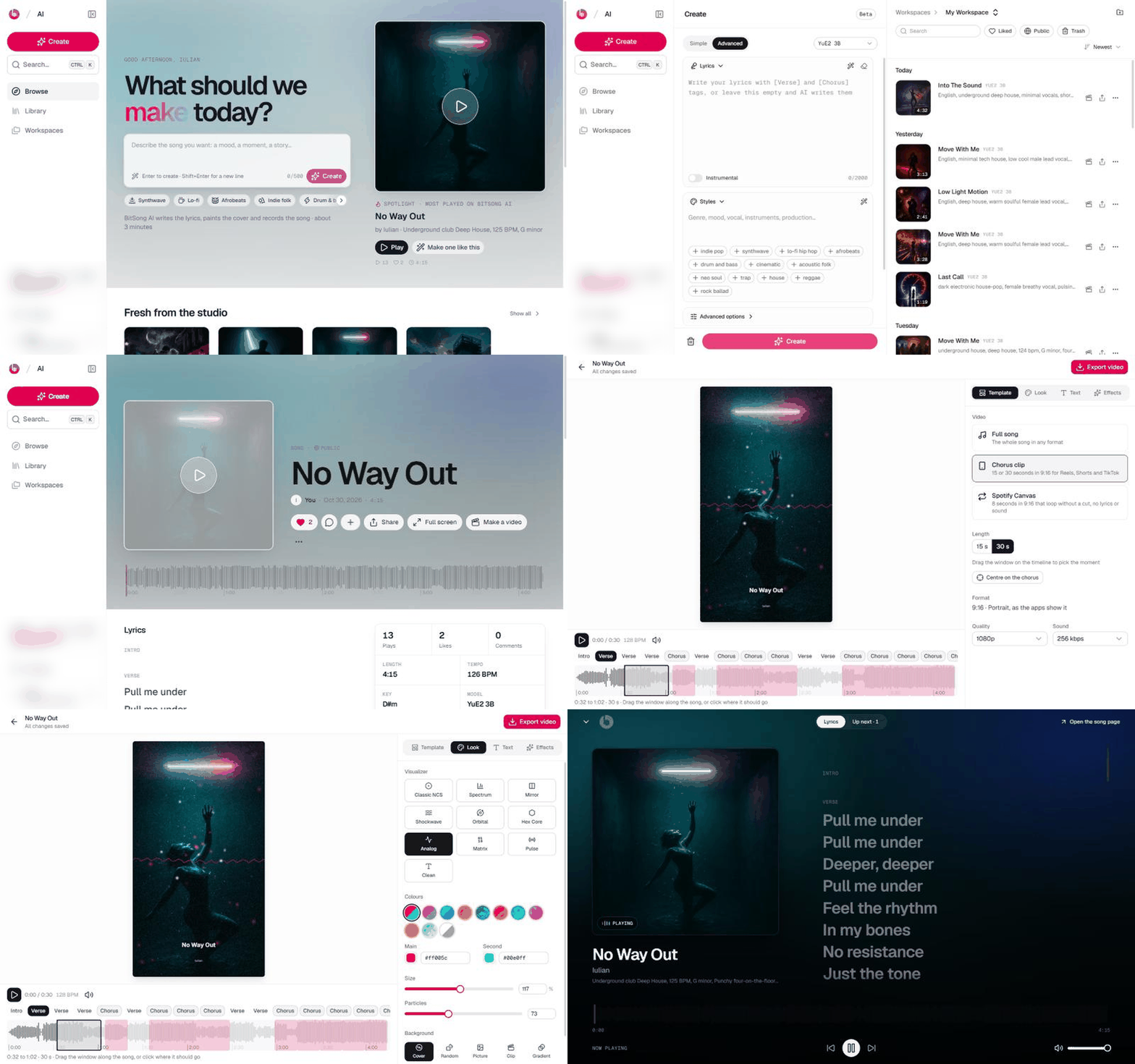
A quick tour: Browse, Advanced mode, a song page, the video studio and the full-screen player.
Prerequisites
Before you start, make sure you have:
- A pilot invite, sent to the email you used for the waitlist.
- A modern, up-to-date web browser on desktop or mobile (Chrome, Brave, Safari, Firefox, Edge).
- An idea, even a tiny one. A mood or a moment is enough.
Step-by-Step Guide
Sign in and find your way around
Go to bitsong.ai and sign in with the email you used for the waitlist, with a password or with Google. You land on Browse.
The left sidebar is your map:
- Create opens the studio where songs are made.
- Search (or ⌘Ctrl K) finds songs and creators fast.
- Browse is the home page: what the community is making right now.
- Library holds your playlists, liked songs and listening history.
- Workspaces is where every song you generate lives, private by default.
- Settings is for your name, login and preferences.
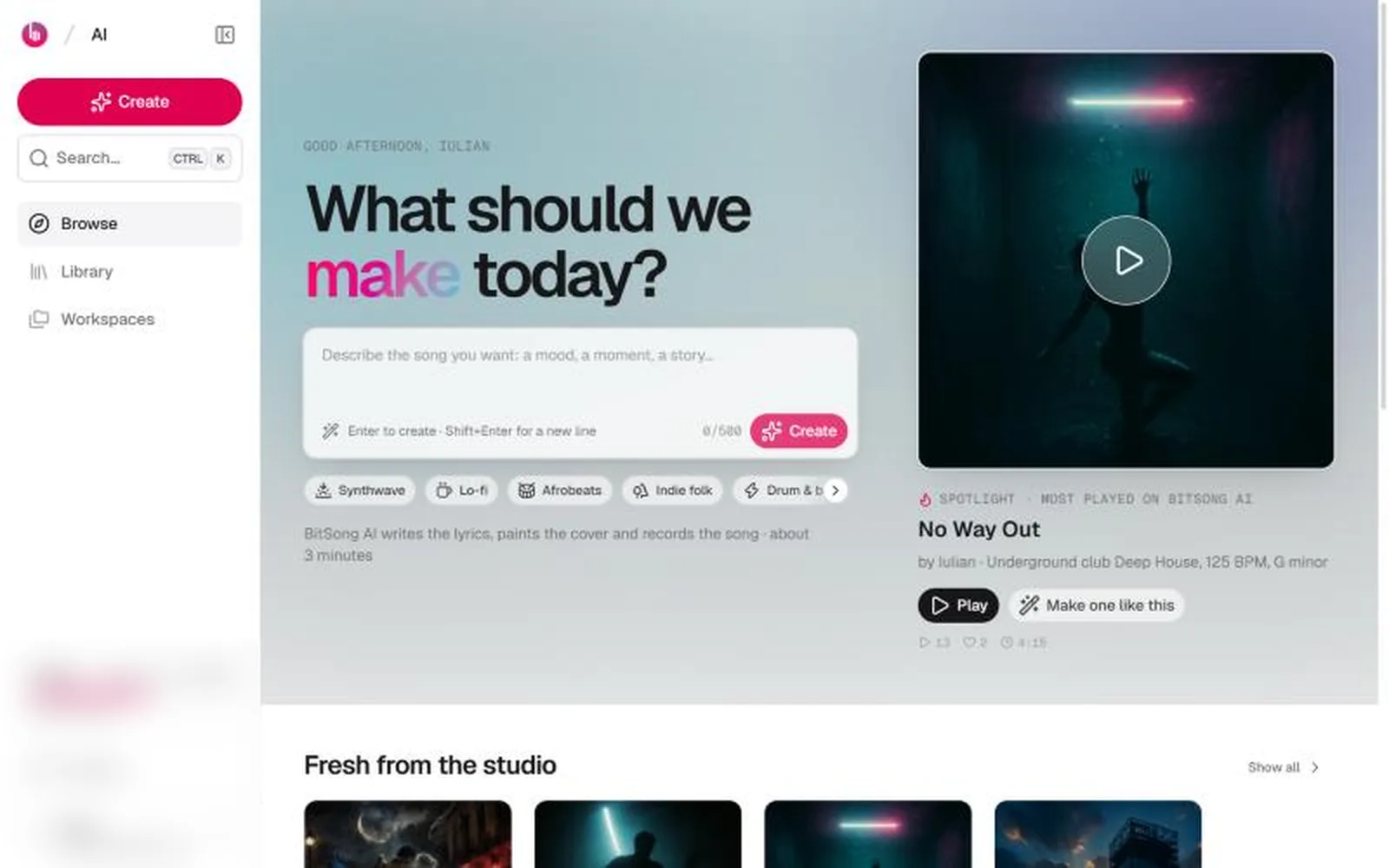
Browse: start a song right from the home page, or play the spotlight track.
At the bottom of the sidebar you'll find your generation meter. It shows how many generations you have left and when they reset. As a pilot member you start with a limit of 5 generations per week.
Make your first song
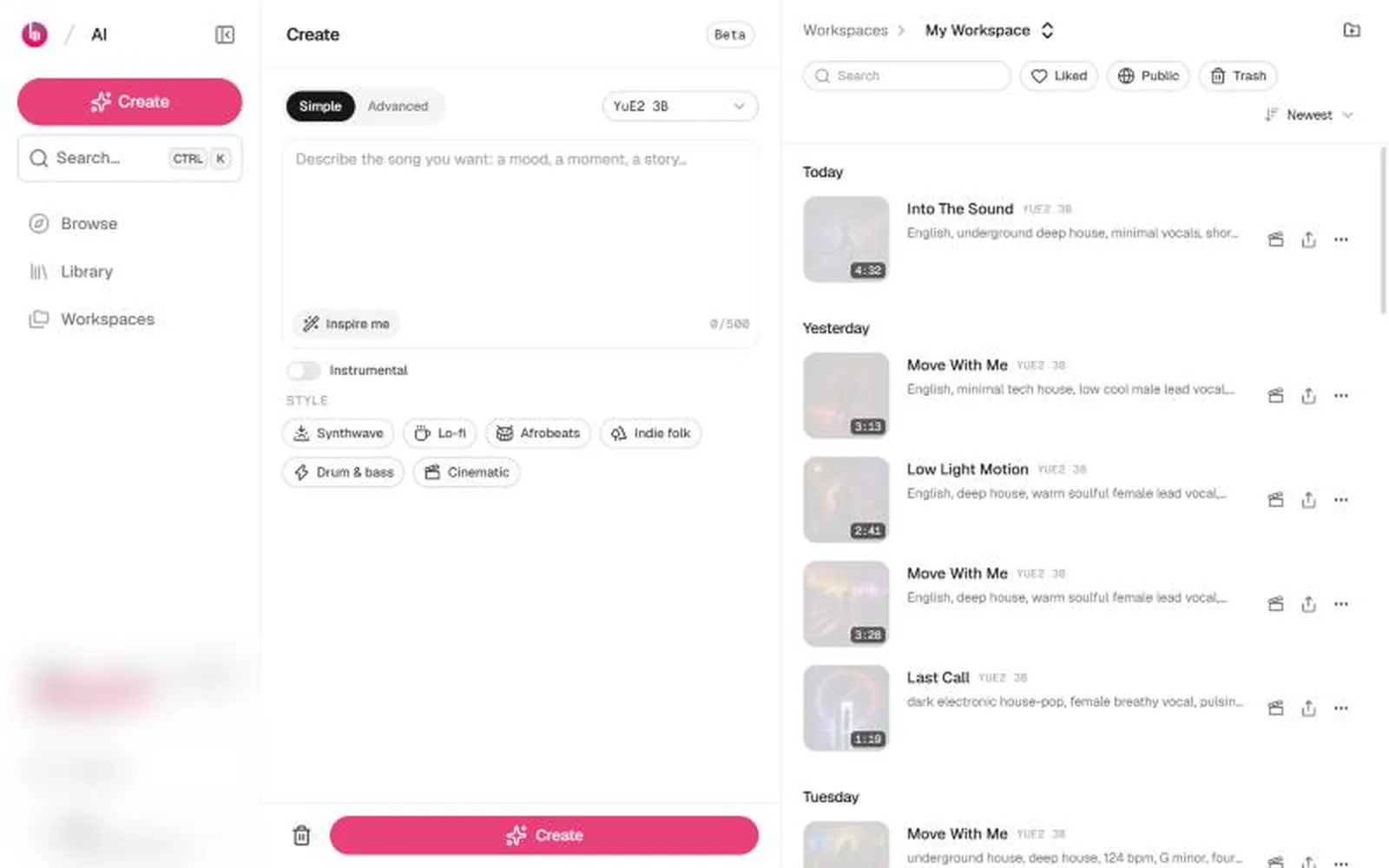
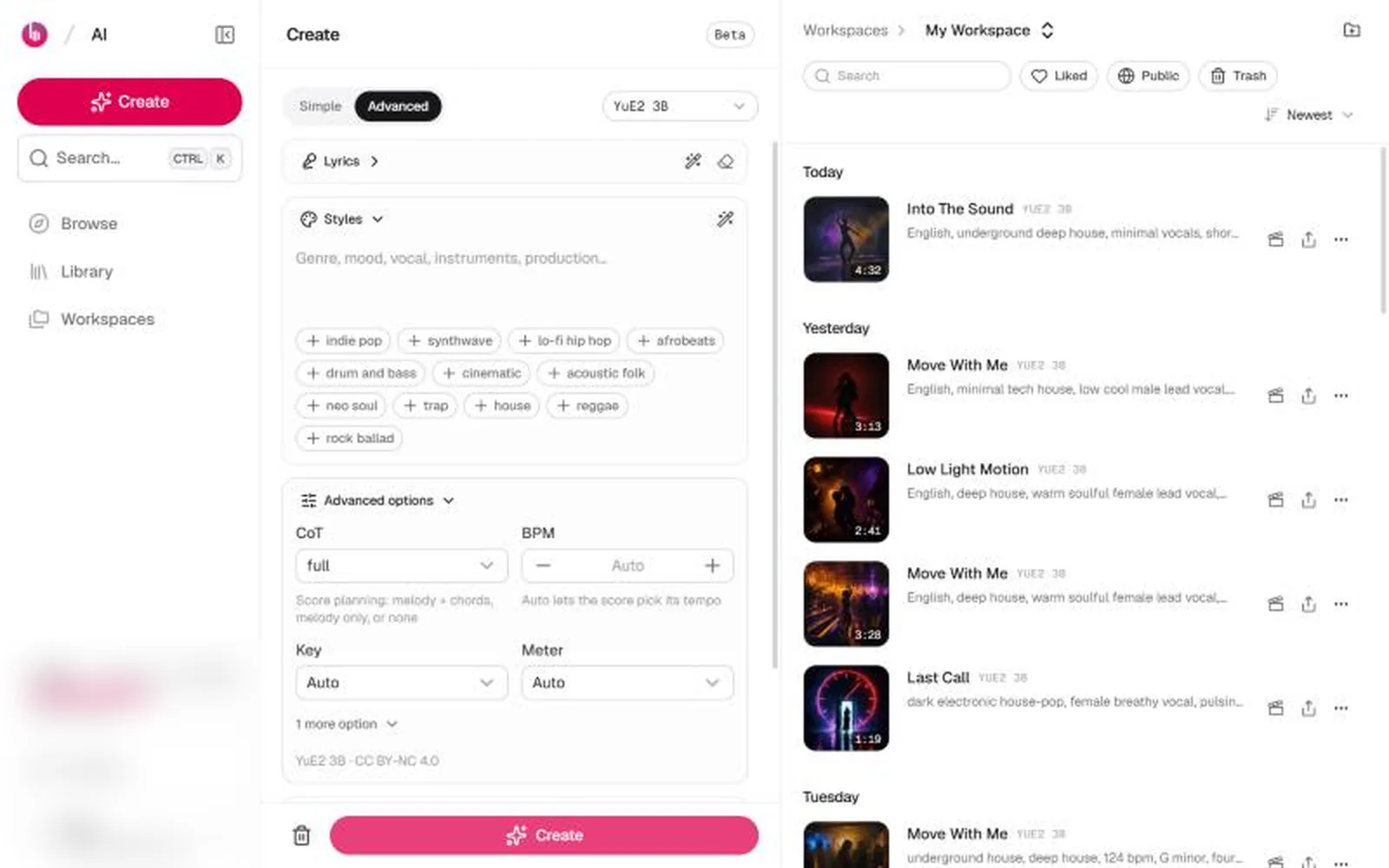
Click Create. At the top you'll see two modes: Simple and Advanced. Your songs appear on the right as they finish, so you never lose track of what you made.
The fastest way in. You describe what you want in plain words and BitSong AI does the rest: it writes the lyrics, picks a title, paints the cover art and records the song. A full track takes about 3 minutes.
- Describe the song in the box (up to 500 characters): a mood, a moment, a story. "A rainy-night lo-fi song about missing the last train" works better than "sad song".
- Stuck? Hit Inspire me for an idea to start from.
- Tap a style chip (Synthwave, Lo-fi, Afrobeats, Indie folk, Drum & bass, Cinematic) to steer the genre.
- Switch on Instrumental if you don't want vocals.
- Press Create.
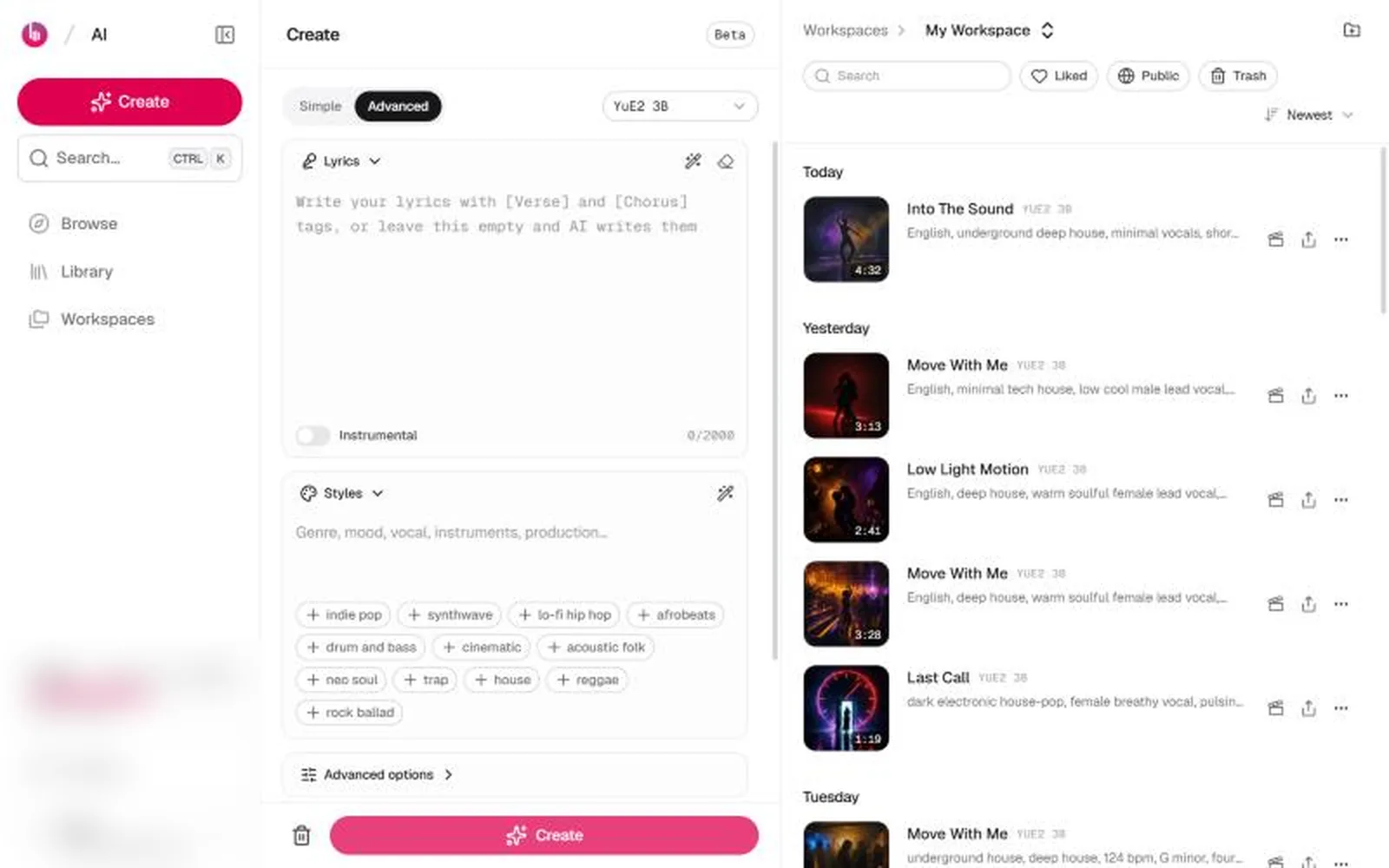
For when you already know what you want. Each part of the song has its own field:
[Verse], [Chorus] and [Bridge]. Leave it empty and AI writes them. The wand icon helps you draft, the eraser clears.The model selector at the top right shows YuE2 3B, the model running this pilot.
Open your song page
Every song gets its own page. Open one and you'll find:
- The cover art, a play button and a waveform you can click to jump around
- The full lyrics, laid out by section (intro, verse, chorus, bridge, outro)
- The numbers: plays, likes and comments
- The details: length, tempo, key and the model that made it
- Your prompt: the exact title, style and lyrics you used. Handy when you want to make another one in the same spirit
- Comments, so listeners can tell you what they think
The buttons under the title let you like the song, comment, add it to a playlist, share it, play it full screen or Make a video (more on that below). The ⋯ menu adds Copy link, Open in workspace, Add to queue, Download FLAC (full quality audio) and Publish or Unpublish.
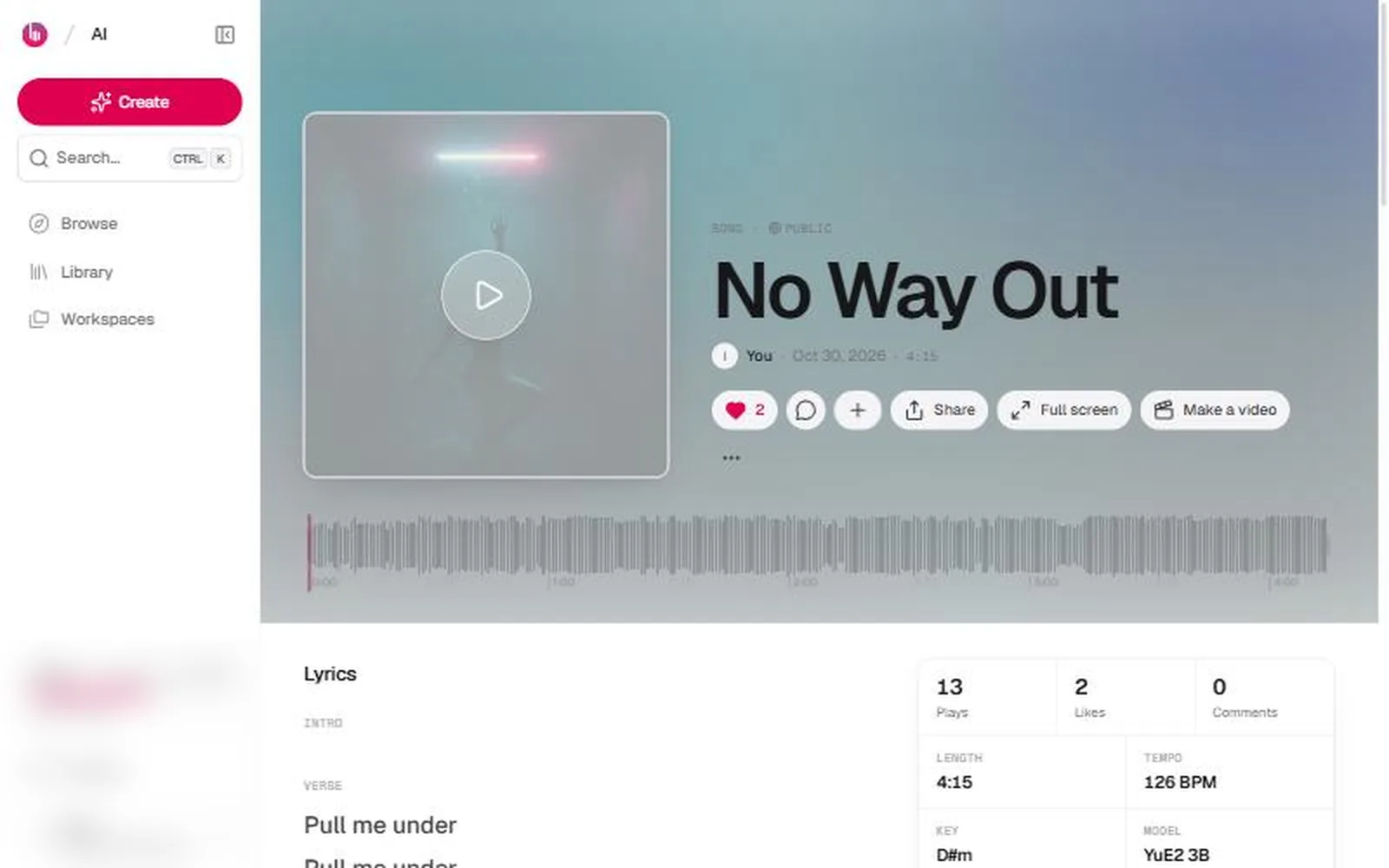
A song page: play, like, share, make a video, and every detail of how it was made.
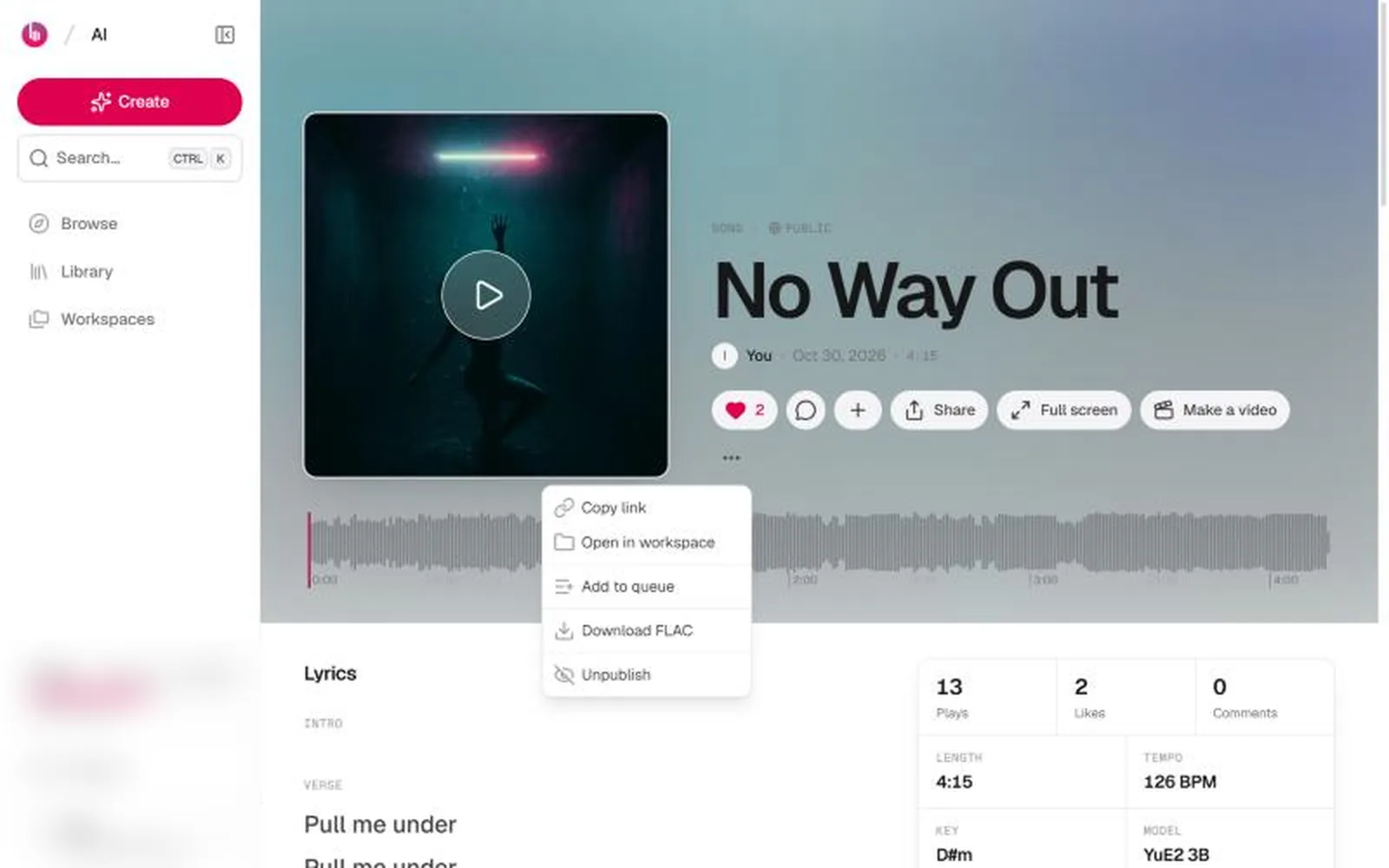
The ⋯ menu on a song page.
Organize your workspace
Workspaces is your studio shelf. Songs are grouped by day, newest first, and each one shows its model, its style and its length. You can search them, sort them, and filter to Liked, Public or Trash. Want more order? Create more workspaces with the folder icon at the top right, for example one per project.
Each song's ⋯ menu lets you:
- Make a video for it
- Edit: rename it or open its song page
- Publish it to Browse, or keep it private
- Share a link, or Download the file
- Move to workspace or Add to queue
- Move to trash (you can restore it from Trash)
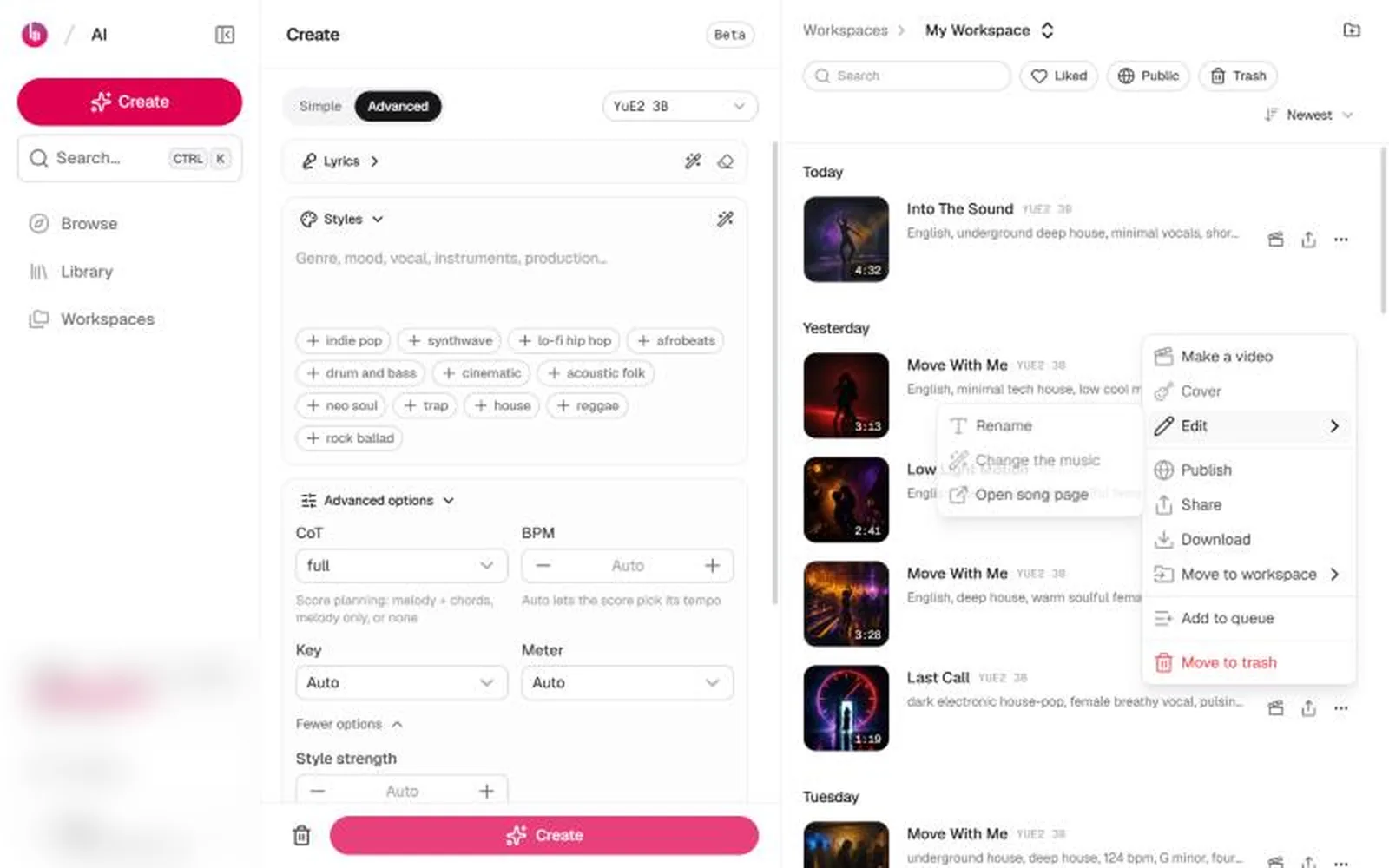
Everything you can do with a song from your workspace.
Turn your song into a video
This is the part people usually don't expect: every song can become a ready-to-post music video in a few clicks, and it costs you zero generations.
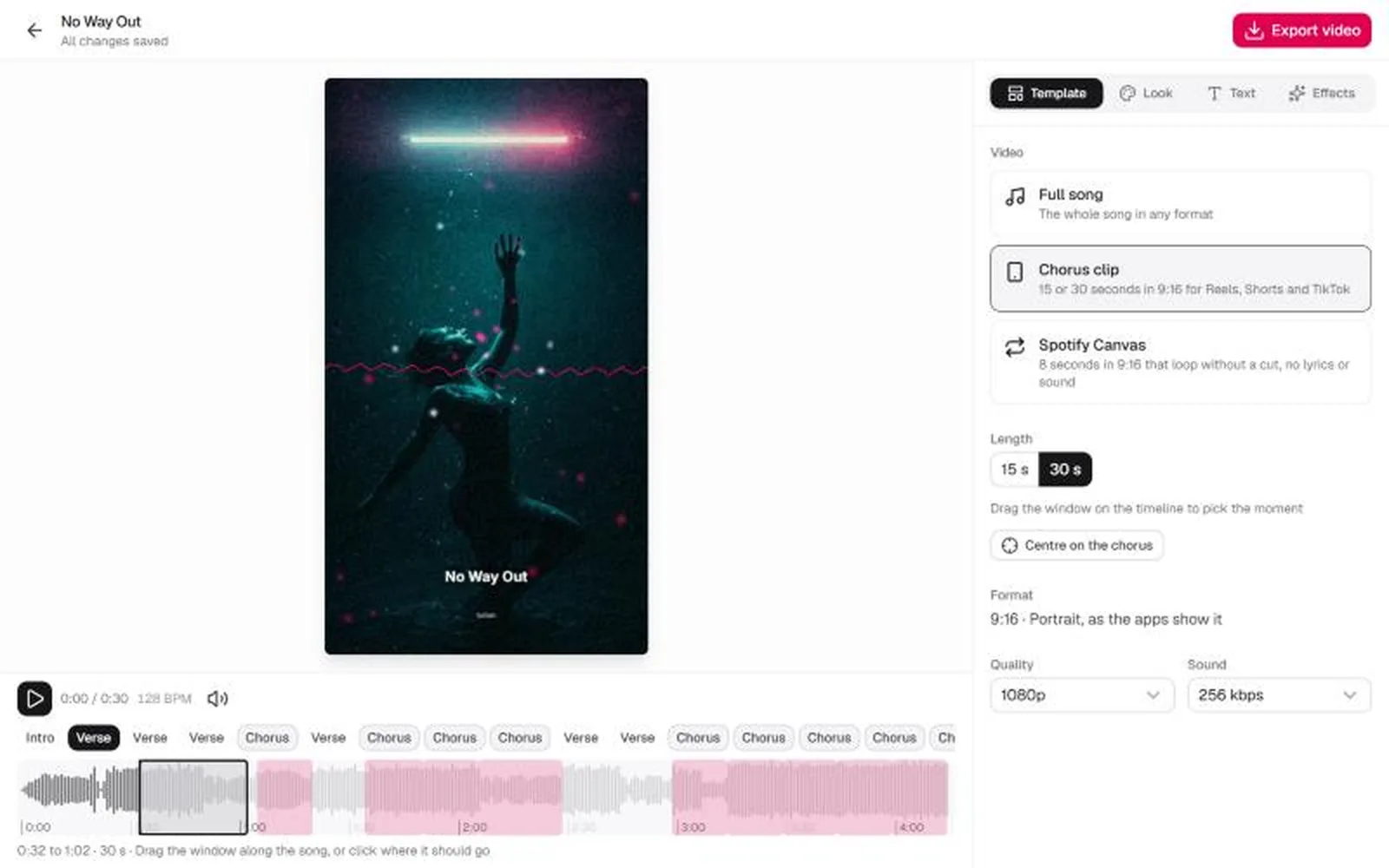
Open a song and press Make a video. The studio reads your song's beat and lyric timing, then shows a live preview on the left and four tabs on the right.
Pick the format:
| Template | What you get | Best for |
|---|---|---|
| Full song | The whole track, in 16:9, 1:1, 4:5 or 9:16 | YouTube, a feed post, your website |
| Chorus clip | 15 or 30 seconds in 9:16 | Reels, Shorts, TikTok |
| Spotify Canvas | An 8-second 9:16 loop with no cut, no lyrics, no sound | The looping visual behind your track on Spotify |
The timeline at the bottom shows your song split into intro, verse and chorus. Drag the window to choose your moment, or hit Centre on the chorus and let the studio do it.
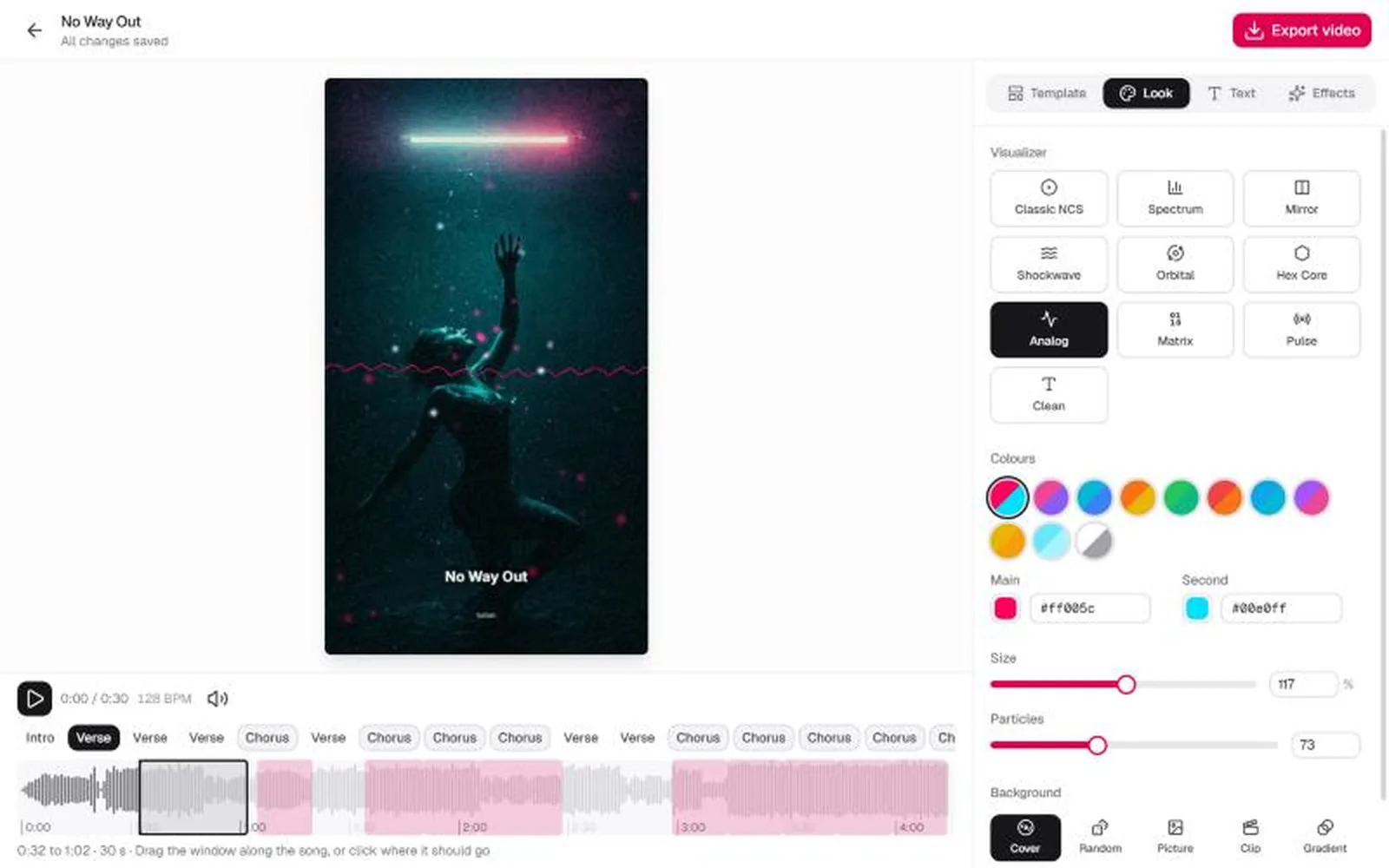
Choose one of ten visualizers (Classic NCS, Spectrum, Mirror, Shockwave, Orbital, Hex Core, Analog, Matrix, Pulse, Clean), then set the colours, size and particles.
For the background, use your cover art, a random picture, your own picture, a clip or a gradient, and dim it so the text stays readable.
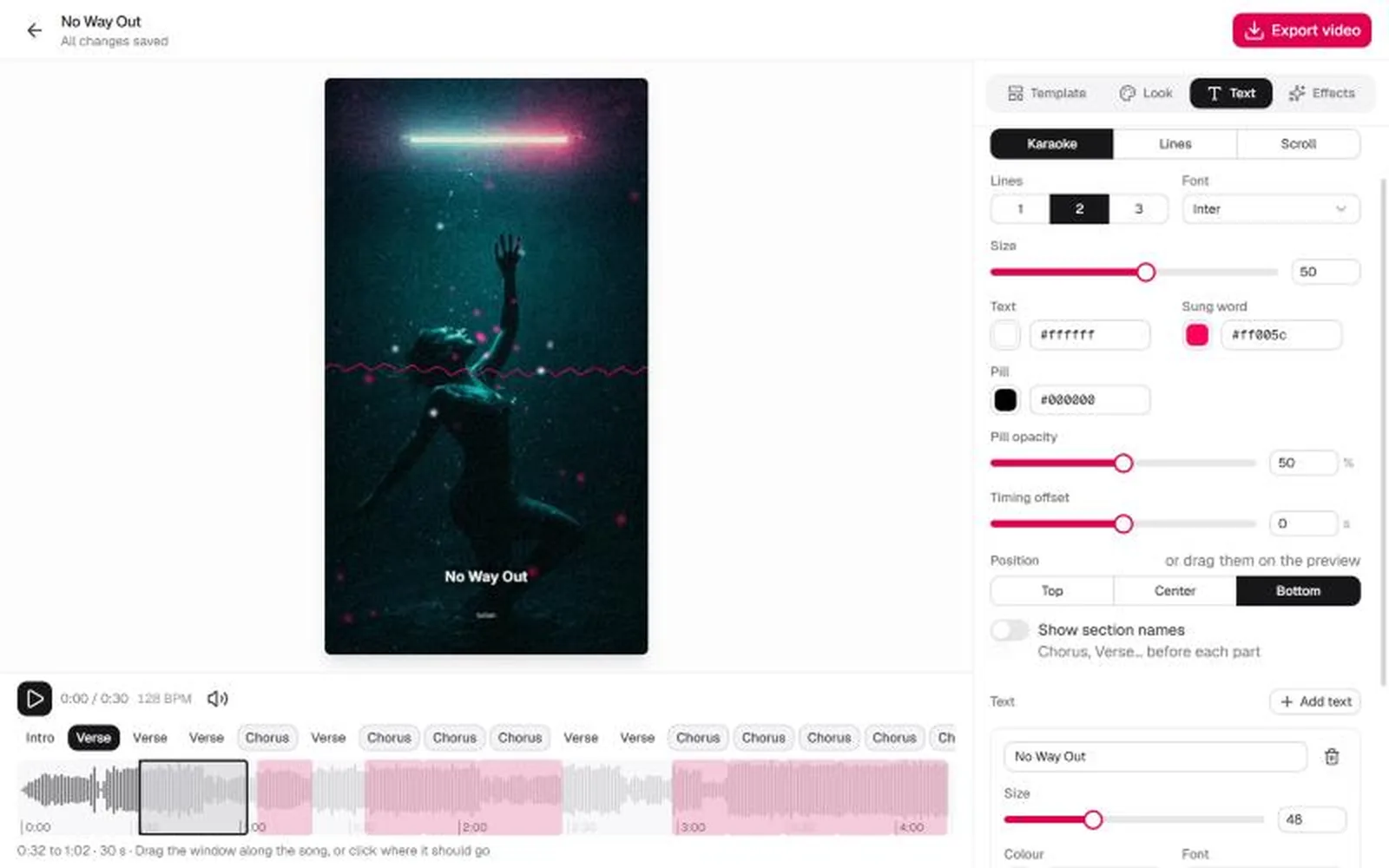
Show lyrics karaoke-style (the sung word lights up), line by line, or scrolling. You decide how many lines show at once, the font, the colours, a background pill behind the words, and where they sit (top, centre or bottom).
If the words land a little early or late, nudge the timing offset. You can also add your own text, like the song title or your name.
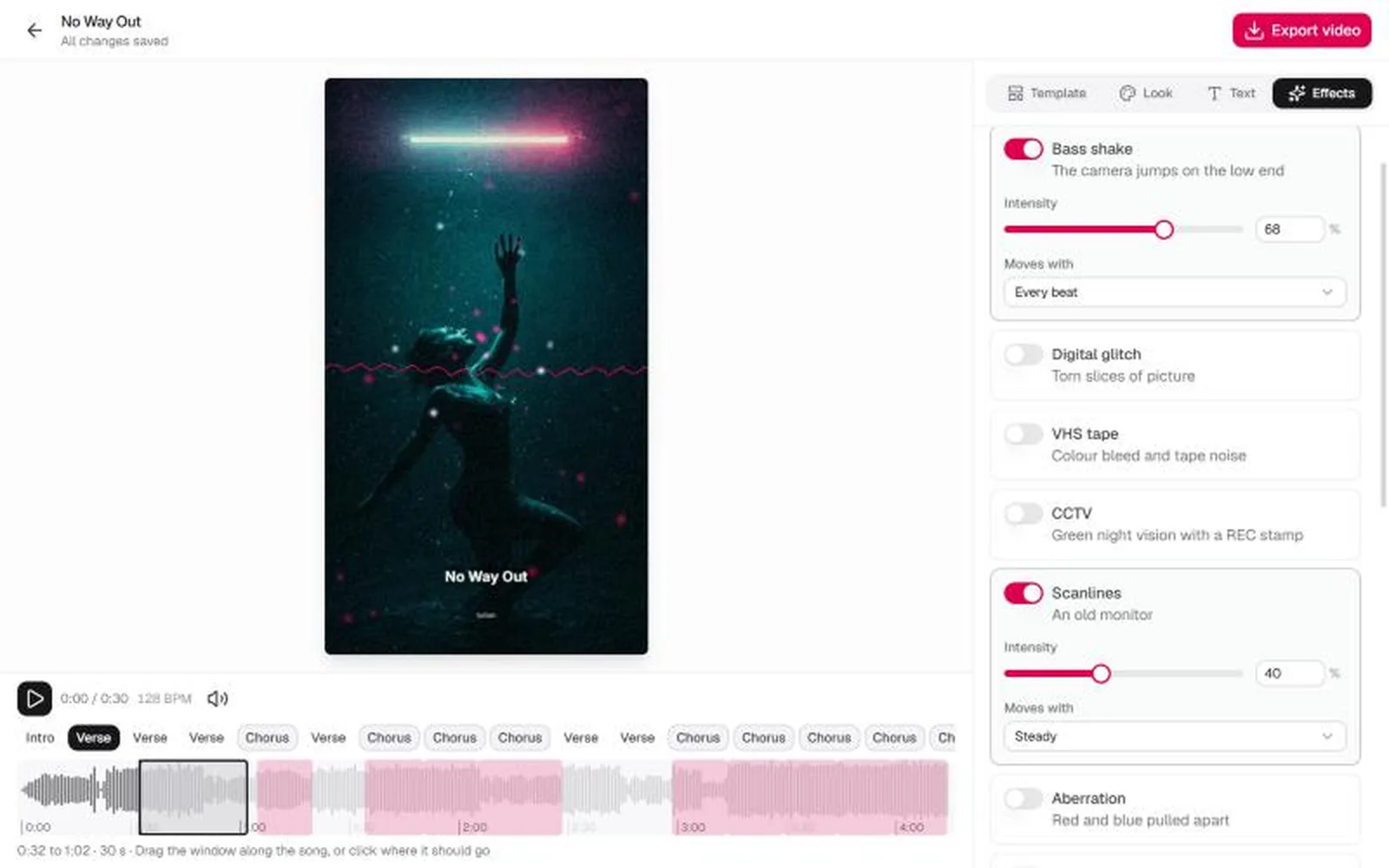
Effects follow your song's beats and sections. There are fourteen of them: Bass shake, Digital glitch, VHS tape, CCTV, Scanlines, Aberration, Bloom, Film grain, Pixelate, Strobe, Vignette, Hue shift, Letterbox and Shockwave.
Many come with an intensity slider and a choice of when they move: every beat, steady, and more.
When you're happy, press Export video at the top right. Videos export at 1080p with 256 kbps sound. Your changes save as you go, so you can leave and come back.
Listen, share and discover
BitSong AI is also a place to hear what other pilot creators are making.
- Browse shows a spotlight track, what's fresh from the studio, the most played songs and the creators behind them. Click a creator to see all their published songs.
- Full-screen player: press Full screen on any song for a big cover, synced lyrics and an "Up next" queue. Great for actually listening instead of skimming.
- Library keeps your playlists (start with New playlist), your Liked songs, recently played tracks and your listening History.
- Like and comment on songs you enjoy. Early creators really notice a first comment.
- Share any song with a link, or copy it from the ⋯ menu.
- Download your own songs as full-quality FLAC files.
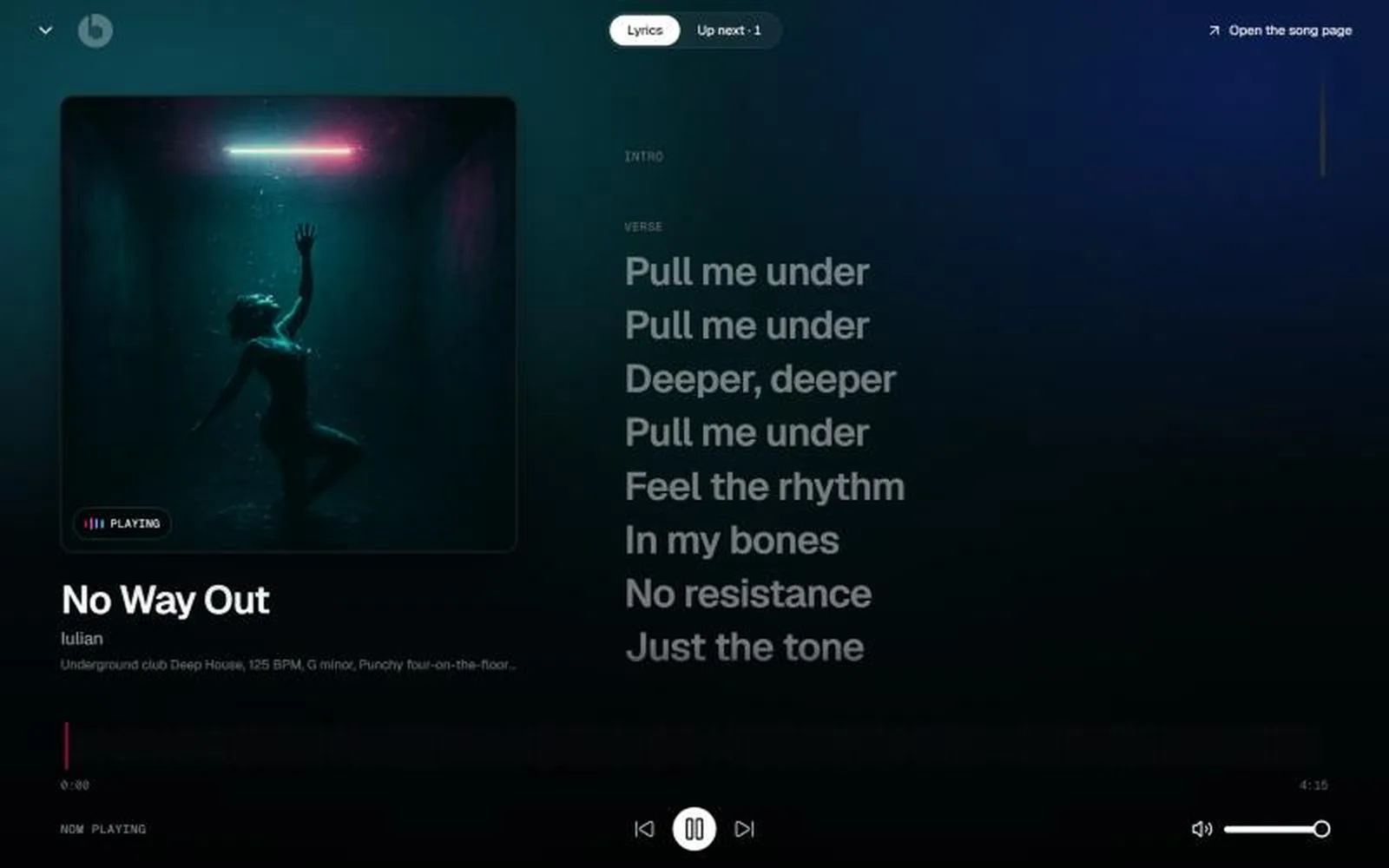
The full-screen player, with lyrics that follow the song.
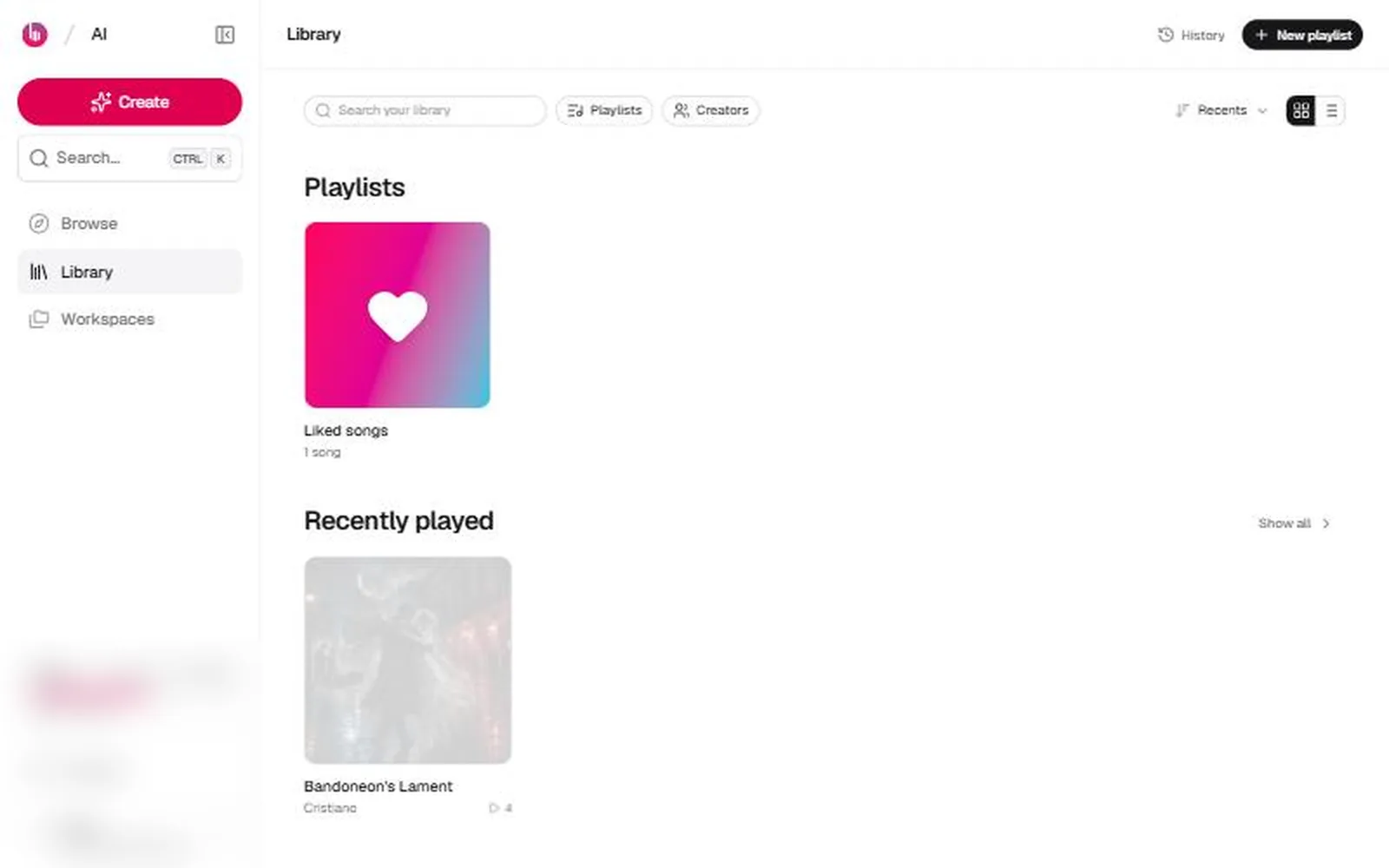
Library: playlists, liked songs and what you played recently.
When you publish, your display name appears as the creator, and your song can show up in Browse for everyone else in the pilot.
Tips for Great Results
You have a limited number of generations, so a few minutes of thinking before you press Create goes a long way.
Write your style like a producer's brief. List the parts in order, separated by commas: language, genre, tempo, key, vocal, instruments, mood, mix. For example:
English, deep house, 122 BPM, warm soulful female lead vocal, clear English diction, four-on-the-floor kick, round sub bass, lush Rhodes chords, smooth late-night mood, warm analog mix
- Be specific about the voice. "Breathy female vocal" or "low cool male vocal" gets you much closer than "vocals". Adding "clear English diction" helps the words come through.
- Keep lyrics short and singable. Short lines, a repeated chorus, and clear
[Verse]/[Chorus]/[Bridge]tags. Hooks that repeat are easier for the model, and for your listeners. - Change one thing at a time. If a song is close but not quite there, keep the same prompt and change only the tempo, or only the vocal. That way you learn what each word does.
- Borrow a good starting point. Your prompt is saved on every song page, and Make one like this loads a published song's style into the studio. Both save time and generations.
- Listen to the whole track before judging it. Songs often build, and the best part may be the second chorus.
- Then make the video. It's free, and a 15-second chorus clip is the easiest way to share what you made.
What's Coming Next
The Pilot covers the first steps of a song's life. The rest of the journey is what we're building next, and your feedback during the pilot decides what comes first. Nothing in the Coming next column is live yet, and we're not putting dates on it until it's ready.
| Stage of the journey | In Pilot today | Coming next |
|---|---|---|
| Create | Simple and Advanced modes, AI lyrics, cover art, instrumental option | More models, once their quality meets our bar |
| Refine | Rename, saved prompts to iterate from | Cover (a song in a new style), Change the music, deeper editing |
| Show it | Music videos, Chorus clips, Spotify Canvas, FLAC download | |
| Prepare a release | Release preparation, with an AI Coach to guide you | |
| Reach an audience | Publish, share links, likes, comments, playlists | Social campaigns and promotion tools |
| Release ready | Download your songs and use them for commercial purposes. Songs are powered by YuE2 and licensed under its model license | |
| Distribute | Connections to distributors, to get your music onto streaming platforms | |
| Grow | Fan relationships, and learning from how your songs perform |
Over time, BitSong AI will become part of the wider BitSong platform, the all-in-one place for creating, releasing and growing music.
Talk to Us
The best thing you can do as a pilot member is tell us what you think, the good and the bad.
Every message gets read. We'll also invite some of you to short calls, so keep an eye out.
Quick Answers
Yes. Nothing in the pilot costs money.
Your generation meter at the bottom of the sidebar shows what you have left and when it resets. Videos don't count.
A full song takes around 3 minutes to record. You can keep browsing while it works; it appears in your workspace when it's done.
Only you, until you press Publish. You can unpublish any time.
Under the pilot terms you can download them, publish them and share them. Check the Terms of Use for the details.
They're features we're still finishing, like Cover and Change the music. They'll switch on during or after the pilot.
Not yet in this version.
Go Make Something
Thanks for being here this early. You now know every corner of the BitSong AI Pilot: how to write a song, shape it, give it a video and share it with the pilot community.
Go make something, and show us. 🎶